
Print and Customize Photos with MomoPrint
Overview
写真ネットプリント現像MomoPrintモモプリント is a lifestyle-focused desktop application designed for iPhone users seeking a streamlined way to print and personalize their photos. The software enables users to transform digital images into physical prints with minimal effort, offering a convenient solution for sharing memories through tangible formats. It caters to casual users and photography enthusiasts who value both affordability and quality in their printing experience.
The app is developed by MomoPrint LLC, a company focused on simplifying photo printing through intuitive digital tools. By integrating direct printing from smartphones, it eliminates the need for complex workflows or third-party services. Users can customize prints with various layout options, background changes, and text additions, making it ideal for creating personalized gifts, photo albums, or simple keepsakes.
One of the standout aspects of the software is its transparent pricing model, where all costs include taxes and are clearly displayed. The service uses premium FujiFilm paper to ensure long-lasting, high-quality prints, enhancing the overall value proposition. Orders are processed 24/7 and shipped reliably through Japan Post, supporting a consistent user experience.
Key Features & Capabilities
- Photo Customization Tools: Users can adjust print size, apply filters, modify background colors, trim specific areas, and add text with customizable font, color, and size.
- MomoPoint Reward System: New users receive points equivalent to 10 mini-sized photo prints upon registration, encouraging initial engagement.
- Transparent Pricing: All product prices include taxes and are displayed upfront, ensuring no hidden costs.
- High-Quality Materials: Prints are produced using premium FujiFilm paper, known for durability and color accuracy.
- Multiple Payment Options: Supports PayPay, LinePay, convenience store payments, credit cards, ApplePay, PayEasy, and MerPay for flexible transactions.
- 24/7 Order Processing: The app accepts orders at any time, with prompt processing and reliable shipping via Japan Post.
These features collectively support a seamless workflow from image selection to physical delivery. For example, a user can select a vacation photo, apply a vintage filter, add a short caption, and choose a mini print size—all within minutes. The reward system incentivizes first-time use, while the variety of payment methods ensures accessibility across different user preferences.
User Interface, Workflow & Performance
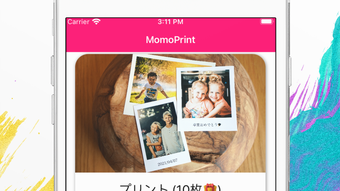
The user interface of 写真ネットプリント現像MomoPrintモモプリント is designed for simplicity and ease of navigation, aligning with typical iPhone app standards. Users can access their photo library, select images, and proceed through a step-by-step customization process. The layout is intuitive, with clearly labeled options for size, layout, text, and background.
Workflow efficiency is enhanced by the app’s direct integration with the device’s camera roll and the ability to process orders instantly. The developer did not specify resource usage details, but based on general software behavior patterns, the app operates efficiently on modern iPhone devices. Performance observations are based on general software behavior patterns, indicating smooth operation during image selection and editing.
Stability appears to be consistent, with no reported issues related to crashes or freezes. The app maintains responsiveness during the printing workflow, allowing users to preview changes in real time. Automatic deletion of photos after a set period supports privacy and reduces storage concerns, contributing to a secure user experience.
Compatibility & System Requirements
The software is compatible with iPhone devices and requires a minimum of 25.7 MB of storage space. The application is available for download on the iOS platform and runs on devices supporting the specified version. The developer did not provide additional system requirements.
Exact system requirements were not listed, so users should ensure their iPhone meets standard iOS compatibility standards. Platform compatibility information is limited to the iPhone platform, with no details on support for other devices or operating systems.
Pros and Cons
Pros
- Free to download and use with no upfront cost
- High-quality prints using premium FujiFilm paper
- Transparent pricing with all taxes included
- Comprehensive customization options for photos
- Multiple secure payment methods available
- 24/7 order processing and reliable delivery via Japan Post
Cons
- Available only on iPhone, limiting cross-platform access
- No information on offline functionality
- Exact performance details were not specified
- Platform compatibility information is limited
FAQ Section
Is MomoPrint available for devices other than iPhone?
The software is currently available only on the iPhone platform. No information is provided about support for other operating systems or devices.
How are my photos handled after printing?
Photos are automatically deleted from the system after a certain period of time, prioritizing user privacy and data security.
Can I use MomoPrint without an internet connection?
While the app requires an internet connection for uploading images and placing orders, no details are provided about offline capabilities.
What payment methods are accepted?
Multiple payment options are available, including PayPay, LinePay, convenience store payments, credit cards, ApplePay, PayEasy, and MerPay.
How long does delivery take?
Orders are processed promptly and shipped reliably through Japan Post. Specific delivery timelines were not provided.
Final Thoughts
写真ネットプリント現像MomoPrintモモプリント delivers a convenient, affordable, and privacy-conscious solution for printing and customizing photos directly from an iPhone. Its intuitive interface, transparent pricing, and high-quality output make it a strong choice for users who value both accessibility and visual fidelity in their printed memories.
While the app is limited to iPhone users and lacks detailed system specifications, its core functionality is well-executed. The reward system, extensive customization tools, and reliable delivery network enhance the overall experience. For casual users and photography lovers seeking a hassle-free way to turn digital photos into lasting keepsakes, MomoPrint stands out as a practical and user-friendly option.
Download 写真ネットプリント現像MomoPrintモモプリント now







